How do I print/export my CPD report
Downloading my Statement
You can download a PDF or print a hard copy directly from the CPD statement page by clicking the print icon at the top right of the "My Activities" list (not applicable in South Africa).

Once you are on the Print Screen page, click to change the destination of your printer, and select "Save as PDF".
You can then download a soft copy, which can be distributed to your accrediting body.
Downloading Individual Item Statements
South Africa Only
The ability to export each item on the CPD Statement is only available for the South Africa region.
If you are in the South Africa region, you can also download statements for each item.
To do this, go to your Statement Page, expand the statement item you want to download and press the "Download CPD" button.
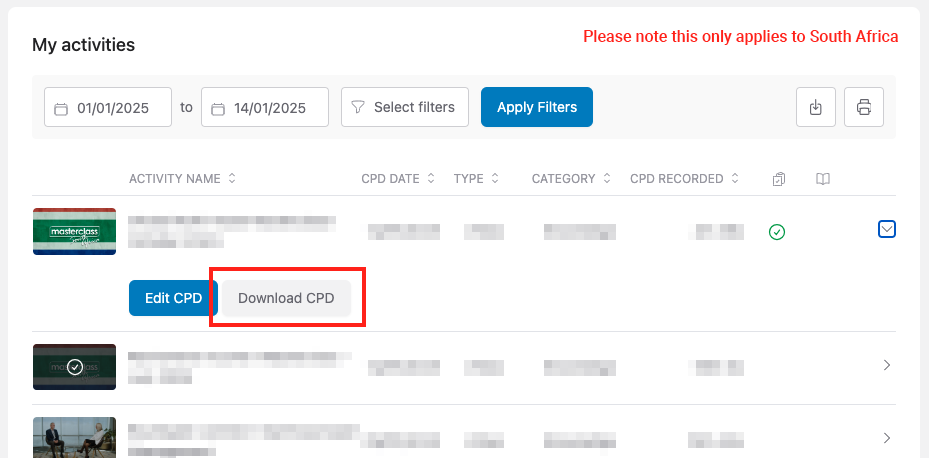
Once you are in the print screen page, click to change the destination of your printer, and select "Save as PDF".
You can then download a soft copy, which can be distributed to your accrediting body.
Downloading a CSV
You can also download a CSV file of your activities using the Download CSV option.
This contains a list of all your CPD activities, similar to what is shown on the CPD statement page.